Skip to content

WELCOME TO OUR STORE

DELIVERY WITH IN 3-5 BUSINESS DAYS

FREE DELIVERY FOR ORDER ABOVE R1000

Skip to product information
1 of 9

SKU:LS32D800UAUXEN

Samsung 32" S80UD 4k UHD USB-C Hub Monitor

Samsung 32" S80UD 4k UHD USB-C Hub Monitor

Regular price R 11,999.00 ZAR
Regular price Sale price R 11,999.00 ZAR
Sale Sold out
Taxes included. Shipping calculated at checkout.
Quantity

Samsung 32" S80UD 4k UHD USB-C Hub Monitor

Experience professional-grade visuals on a expansive 32-inch 4K UHD display engineered for demanding workflows. The S80UD delivers exceptional color accuracy and clarity, ideal for content creators, designers, and video professionals who demand precision. Integrated USB-C connectivity streamlines your setup by consolidating power, data, and video into a single cable, reducing desktop clutter while supporting high-speed peripheral connections. The hub functionality transforms this monitor into a productivity hub, eliminating the need for external docking stations. Built for extended work sessions with superior panel technology and ergonomic design considerations.

  • Resolution
    4K (3,840 x 2,160)
  • Aspect Ratio
    16:9
  • Brightness (Typical)
    350cd/㎡
  • Contrast Ratio Static
    3000:1(Typ)
  • Response Time
    5ms
  • Refresh Rate
    Max 60Hz
  • Viewing Angle (Horizontal/Vertical)
    178°/178°

Features

Expand your creative realm

A man sits at a desk in front of a server rack. He is using two monitors. The left monitor is horizontal, showing a world map. The right monitor is vertical, showing numerous graphs and charts. Above the monitor reads "Expand your creative realm."

Top 4 Features

An icon of UHD is shown

UHD Resolution

3840x2160 resolution delivers crystal-clear visuals

An icon of USB-C port is shown

USB-C

USB-C makes it easy to transfer and charge

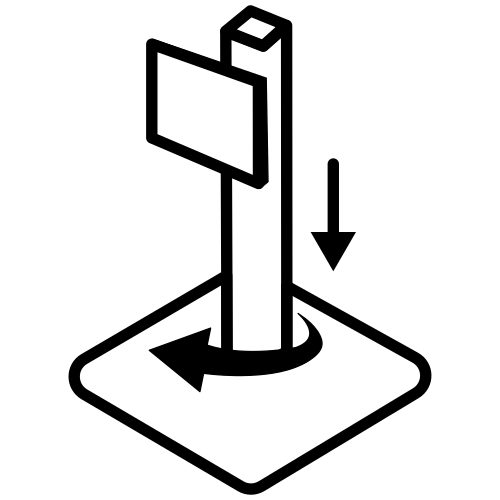
An icon of Easy Seup Stand is shown

Easy Setup Stand

Quick and easy setup

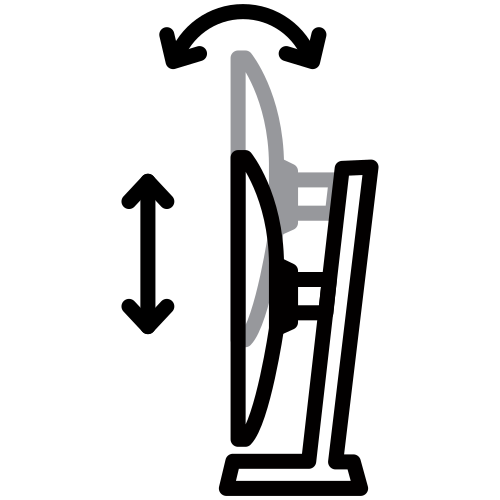
An icon of Ergonomic Design is shown

Ergonomic Design

Designed with comfort in mind

Discover the deeper details

UHD resolution

Visual excellence that professionals demand. UHD (3840x2160) resolution reveals greater levels of detail with higher pixel density. Professionals can dive into greater color detail and more screen space to build intricate designs, complex diagrams and dynamic video content with a smoother workflow.

The monitor is shown with a photo editing software on it, editing an image of colorful balls and blocks. A square inside outlines part of the image, with the text "FHD" on it, showing that FHD would only show part of the screen. The text "QHD" shows that QHD would only show part of the screen. And, the text "UHD" is in the bottom right of the monitor, showing the full size is UHD.

* Images simulated for illustrative purposes.

Enhanced realism through more color

1.07 billion colors with HDR10

See a wider gamut of colors for stunning accuracy and detail. HDR10 provide near limitless hues and true-to-life color representation, with darker darks and the brighter brights. Every piece of content becomes a joy to look at and can be experienced exactly as intended.

* Images simulated for illustrative purposes.
A screen lays on top of another screen, with a colorful abstract image seen across both screens. The smaller screen reads "SDR" and the larger screen reads "HDR10". The colors on the HDR10 screen are brighter.

Connect and adjust to meet your needs

USB-C and LAN Port

Connect it all to elevate your workspace. A USB-C port allows for 90W charging and data transfer at the same time, while a built-in LAN port offers seamless Ethernet connectivity for laptops.

A laptop, monitor, keyboard, mouse and mobile phone are all connected on a desk by a wire. Above the monitor, there are 4 icons, which are USB-C, LAN, Display Port, USB-A and USB-B.Master multiple sources in harmony

Built-in KVM Switch

A built-in KVM switch lets you connect and control two sources to your monitor at once, with just one keyboard and mouse. You choose: split screen, Picture in Picture or Picture by Picture are all possible. Be more efficient and remove multi-device hassle with easy input switching and multitasking.

A monitor is seen, with a keyboard and mouse in front of it,  a PC to its left and a laptop to its right. When KVM switch turns on, the PC is connected by a line reading "Source A", and the left of the monitor screen is activated. When KVM switch turns on once again, the laptop by a line that says "Source B", and the right side of the monitor screen is activated.

Effortless and instant setup

Easy Setup Stand

The Easy Setup Stand effortlessly creates an ideal workspace without any tools or screws. When it's time to change things up, simply push a button and enjoy flexible convenience.

View with enhanced versatility

Ergonomic Design

A height-adjustable screen that tilts gives you the best angle and ultimate utility. Now you can also pivot the screen 90 degrees, which is perfect for viewing long documents with less scrolling.

In the top left of a grid, the monitor is shown from the side, with the text "TILT" next to it. The monitor head is shown tilting. The top right of the grid shows the monitor from the top down with the word "Swivel" next to it. The monitor is shown swiveling. The bottom left of the grid shows the front of the monitor on its stand, reading "Height Adjustable Stand." The bottom right of the grid shows the montor in verital orientation, with the text "Pivot" above it.Relieve your eyes from strain

TUV certified Intelligent Eye Care

Keep your eyes fresh with less screen strain. For those late-night projects, brightness and color temperature automatically optimize for your environment. TUV-certified for intelligent eye care, Samsung reduces screen flickering and protects eyes against excessive blue light with eye saver mode.

The monitor onscreen brightness becomes adjusted following the exterior light's brightness. TUV Rheinland logo with Intelligent Eye Care certified is included on the right bottom of the monitor. The logo shows the site address, www.tuv.com

Responsible practice

Thoughtfully designed

The 2024 Samsung ViewFinity monitors* contain at least 14%** recycled plastic. Plus, we use no chemical sprays on the monitor's plastic, and use glue instead of staples in the packaging box joint, making it possible to recycle them.

A cycle is in the background, and a three-step process is shown above it. The first process is 'Sourcing & Production', which explains that the product is manufactured with some recycled materials. The second process relates to 'distribution' and describes 'simple packing for easy disassembly'. The last is about 'Using & Recycling' and mentions 'No use of chemical sprays on plastic furthers recycling efforts'.

* S60UD, S60D, S70D, S80UD, S80D only.** The percentage of recycled material, which may vary by component, is calculated based on total weight of plastic used on the product (weight of recycled materials/total weight of plastic).

View full details